
Sell Your
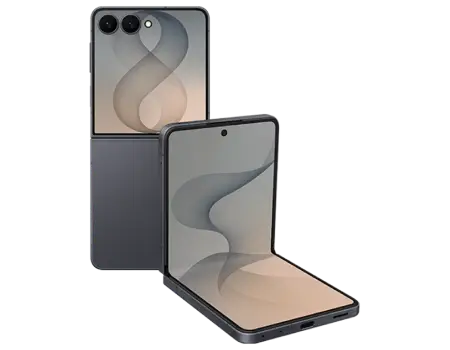
Galaxy Z Flip8

Why Trust Us?




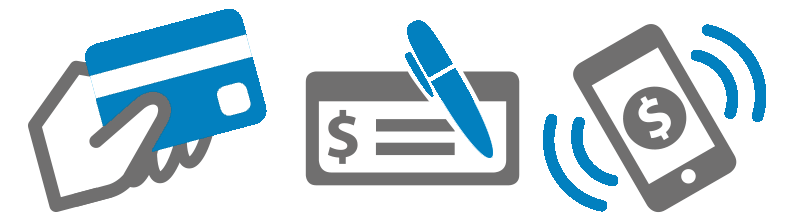
Four payment methods
Zelle, Bank Transfer, Check and PayPal

Selling your Galaxy Z Flip8 with GadgetPickup takes just a few steps:
- Instant quote: select storage, carrier, and condition to see your offer.
- Free shipping: print your prepaid label and pack the device securely.
- Fast payout: once inspected, get paid via Zelle, PayPal, Bank Transfer, or Check.
Visit our How It Works page for the full sell process before you ship.
Before you sell your Galaxy Z Flip8, complete these steps:
- Back up all photos, files, and important data.
- Unpair watches, buds, or Bluetooth accessories.
- Sign out of Google & Samsung accounts and disable Find My Mobile.
- Factory reset through Settings > General management > Reset > Factory data reset.
- Remove SIM/eSIM and any SD card before shipping.
Resetting your Flip8 properly protects your data and speeds up your sale.
Once we receive and verify your Galaxy Z Flip8, you can choose Zelle, PayPal, Bank Transfer, or a mailed Check. Payouts are typically issued within 1–2 business days after inspection, and you’ll get an email as soon as your payment is processed.
Yes—when you sell your Galaxy Z Flip8, most conditions are accepted, including a cracked outer or cover screen, hinge wear, battery issues, or a unit that won’t power on.
- Financed or carrier-locked devices are accepted but may lower your offer.
- Activation locks must be removed before you ship the device.
- Devices marked lost, stolen, or blacklisted cannot be sold or traded in.
Reporting the true condition upfront ensures the most accurate quote when you sell.
Several factors determine your final offer when you sell your device:
- Condition of the cover screen, inner display, and hinge.
- Storage capacity—higher storage typically sells for more.
- Carrier status—unlocked units usually resell at a higher value.
- Accessories—original box, charger, and extras can boost your payout.
Tip: close the Flip8 gently and pad the hinge before shipping to protect your payout.